
Apocalyptic Toilet Roleplay How to Fly and Use Controls
;fly is a built-in chat command, not a code. Here is every control that actually matters.
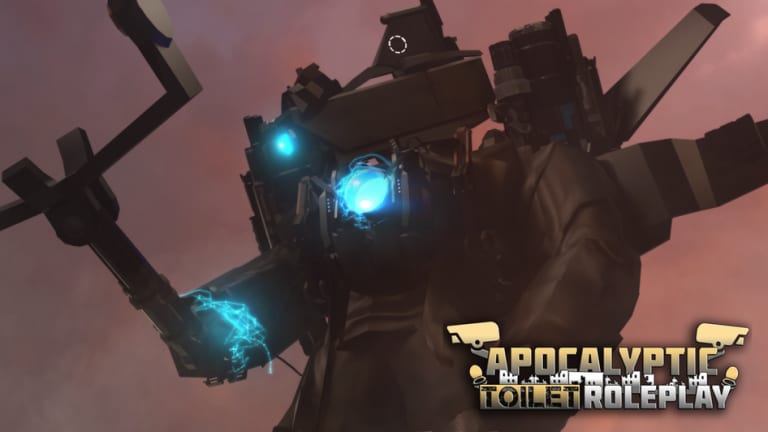
The official Roblox description for Apocalyptic Toilet Roleplay includes one gameplay instruction: to use free fly, type ;fly in the chat. That sentence is easy to miss under the developer credits, so entire YouTube comment sections still ask “how to fly” and “what is the code.” There is no fly code. There is a chat command. This page is the controls guide for movement, morph abilities, Camera Base interacts, and the camera problems titans cause. For transforming, stay on how to morph.
How to fly (PC)
- Spawn and wait until you can walk. Flying before the map streams in can no-clip you under Denver or the Camera Base.
- Press
/or click chat. - Type
;flywith the semicolon. Send. - Use your normal WASD movement in the air. Space / Ctrl (or your jump / descend binds) handle vertical movement depending on how the fly controller is implemented that patch.
- Type
;flyagain if you need to toggle off, or reset if the camera stays in fly FOV after you land.
If the command is ignored, you sent it too early, chat filtered the semicolon, or you are in a UI text box (morph search) instead of world chat. Click the world, open chat, try once more. This is not listed on the codes hub because it never expires.
How to fly (mobile and console)
Mobile: tap the chat bubble, type ;fly, send, then close the chat overlay so the joystick comes back. If you leave chat open, you will type into the air instead of steering. Titans already eat the HUD; keep the fly GUI-free.
Console: use the Roblox chat bind for your platform, enter ;fly, return to the movement stick. Console players do not get a special fly gamepass.
A second fly source — an executor GUI — fights this command. If you came from the scripts pages, pick one fly system. Two at once jitter.
Movement and camera while morphed
Small morphs play like a normal R15 Roblox character (the universe is set to MorphToR15). Titans change:
- Collision. You will wedge in Camera Base stairs. Fly or use the intended titan routes.
- Camera. Third-person zoom often clips inside speaker stacks or TV panels. Zoom out before you fight.
- Freeze. If fly and walk both fail after a titan morph, it is the replication bug: reset/rejoin, described in how to morph.
- Size. There is no official
;sizecommand. Scale is part of the morph or an upgrade button (Astro UTSM’s second click grows you). Comments asking “how to change morph size” are looking for a slider that most bodies do not have.
Shift-lock helps on PC for laser aim on Quad Laser Toilet and G-Man kits. On mobile, use the camera drag, not a scripted orbit.
Ability bars and world interacts
After you morph, extra buttons appear on the ability panel. They are per-kit: warp and ring tools on Astro UTSM, infect/disinfect on several titans, repair/lose blaster on damaged upgraded bodies. There is no global “use ability” key that works on every morph. Look at the panel before you assume the kit is broken.
World interacts:
- Camera Base core — walk up and hold E if you own Camera Base Abilities (60 Robux). The pass exists so public servers cannot spam the core.
- Shield / alarm — upstairs buttons in the Camera Base, same pass. “The pathway to the top can be found easily,” according to the pass text.
- Destroy Buildings — separate 80 Robux pass, permanent, only “certain buildings,” not massive or important ones.
None of these are chat commands. Pressing ;fly will not fire a turret.
What is not a control
- Promo codes — none. See how to redeem.
- Voice chat — not supported on the experience.
- Camera API / Roblox camera features — not supported.
- Emote wheel — use Roblox’s default emotes if you want them; they will look odd on a toilet rig.
Related pages
New players should return to getting started. If you only wanted flight to film Watchman of Doom, combine this command with a private server and the Watchman of Doom guide. If ;fly still fails after a patch, check latest update in case a command bind moved — as of August 2026 it has not.
Frequently Asked Questions
Quick answers players actually search for in Apocalyptic Toilet Roleplay.
How do you fly in Apocalyptic Toilet Roleplay?
Type ;fly in chat after the map loads. It is a built-in command from the official game description, not a promo code.
Does fly work on mobile?
Yes. Send ;fly in the chat widget, then close chat so the joystick returns.
Is there a gamepass for fly?
No. Fly is free. Gamepasses cover custom morphs, titan skips, Camera Base abilities, and building destruction.
How do I change morph size?
Most morphs have a fixed scale. Some upgrade buttons (for example Astro UTSM’s second click) grow the body. There is no ;size command.